


- 24th Oct '26
- Sell SaaS
- 5 minutes read
How to Choose Auto Detailing Software for a Mobile or Shop-Based Business
Running a detailing business means juggling appointments, customer questions, quotes and payments, often all at once. Whether you travel to customers in a van or manage a busy shop, keeping everything organized can become difficult when bookings live in text messages, notes and paper calendars. As a business grows, these scattered systems can lead to missed appointments, scheduling conflicts and delays in responding to customers.
The right software can bring these tasks together, making day-to-day operations easier to manage. The challenge is finding a tool that fits your business, your workflow and your budget without adding unnecessary complexity.
Start With How You Actually Work
Before you compare products, describe your business in plain terms. Do you travel to customers, work from a fixed location or do both? How many people are on your team? What do you sell: quick washes, full details, coatings, tint or wraps?
Mobile and shop-based businesses have different priorities. Mobile operators care about routes, travel time and working from a phone. Shops care about bay scheduling, handoffs between technicians and managing vehicles on site. Write down your top five daily headaches, because those are what the software should fix. Ask your team for theirs too, since they often notice problems you do not.
Features Worth Paying For
Feature lists can be long, so focus on what you will use every week. Common essentials include:
-
Online booking: customers pick a service and time without calling
-
Scheduling: a calendar that handles jobs, staff and double-booking
-
Quotes and invoices: professional documents that convert from one to the other
-
Payments: card processing, deposits and tipping
-
Reminders: automatic messages that reduce no-shows
-
Customer records: vehicle details, service history and notes
-
Photo records: before-and-after images tied to the job
Everything else is a bonus. A tool with fifty features you never touch is harder to use than a simple one that does the basics well. Choose based on your real workflow, not the longest list.
Why Simplicity Matters for Small Operators
Most businesses in the country are small, which means most software buyers have limited time and limited staff. The U.S. Small Business Administration’s Office of Advocacy says that there are 36,207,130 small businesses in the United States, 99.9 percent of all businesses. Keep the limits in mind: the page does not state which year the figures cover or name a data source, it uses the SBA’s definition of small business, and it says nothing about detailing or software use.
The point is practical. Small teams cannot spend weeks on setup, so look for software you can learn in days, not months. Good onboarding materials, clear help pages and a responsive support team matter more than a flashy dashboard.
Looking at Software Options
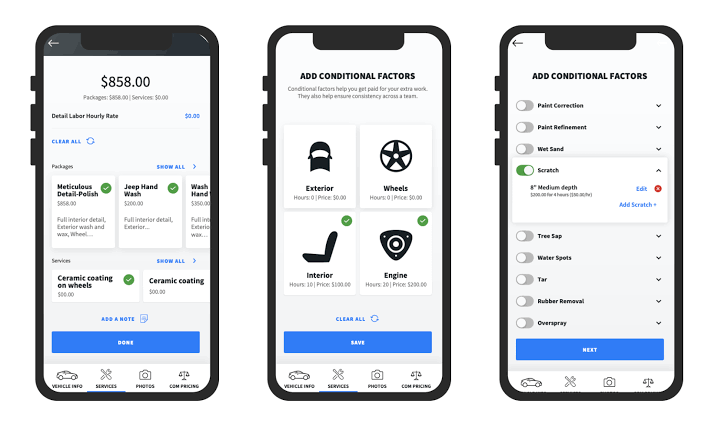
Once you know what your business needs, comparing software options becomes much easier. For example, Urable's auto detailing software includes features such as online booking, employee scheduling, quotes, invoices, payment processing and customer records. Its website also describes mobile tools for mapping, routing and documenting vehicles with photos and videos before work begins. Reviewing these features in a demo can help you understand how they fit into your daily operations.
Before choosing a platform, consider whether it was designed specifically for detailing businesses or adapted from a general scheduling tool. Industry-specific software may handle vehicle details and service add-ons more naturally, while general tools may offer a simpler or less expensive setup. Neither option is automatically the right choice. Focus on how well the software fits your booking process, quoting system, payment methods and the way your team manages jobs.
Mobile or Shop: Questions to Ask
Your model changes what to test. If you work on the road, check:
-
Does the app work well on a phone, with a weak signal?
-
Can you see routes and job addresses easily?
-
Can customers get “on the way” messages?
-
Can you take payment and photos at the curb?
If you run a shop, check:
-
Can you schedule by bay, technician or service?
-
Can several staff members use it at once with different permissions?
-
Can you track vehicles from drop-off to pickup?
-
Can you handle longer jobs, such as coatings or wraps, that span days?
Mixed businesses should test both lists. A few honest answers will narrow your options quickly.
Test Before You Commit
Never choose from a website alone. A careful trial process looks like this:
-
Ask for a demo or trial, and run real jobs through it
-
Have your technicians try it, since they will use it daily
-
Check pricing details, including payment processing fees and extra users
-
Look at support options and how quickly questions get answered
-
Confirm you can export your customer data if you leave
-
Read the terms for contracts and cancellation
Take notes during the trial and compare tools using the same scenario. If a product feels clumsy during the trial, it will feel worse during a busy Saturday.
Conclusion
Choosing detailing software comes down to fit. Describe how your business works, list the problems you want to solve, focus on the features you will actually use and match the tool to your mobile or shop-based routine. Compare a few options, test them with real jobs and involve your team before you commit. A simple system that people use every day beats an impressive one that sits unused, and the right choice gives you back time for what you do best, making vehicles look great.