

- 22nd Nov '26
- Sell SaaS
- 23 minutes read
Top 7 Alternatives to Popular SaaS Tools for 2026: A Comprehensive Comparison
In the ever-evolving landscape of Software as a Service (SaaS) tools, staying ahead of the curve is crucial for businesses seeking to optimize their operations. This comprehensive guide explores the top alternatives to widely-used SaaS platforms, providing insights into their unique offerings and best-fit scenarios. From the robust marketing capabilities of HubSpot to the customizable CRM solutions offered by Salesforce, and the budget-friendly options of Zoho CRM, this article delves into the strengths and limitations of each tool. We also examine Pipedrive's sales pipeline management, Freshsales' simplicity, and ActiveCampaign's email marketing prowess. Additionally, the article highlights Sell SaaS for entrepreneurs aiming to launch their own SaaS ventures. Readers will gain a clear understanding of pricing models, integration possibilities, and key considerations for selecting the most suitable tool for their business needs in 2026.
1. HubSpot
Best Uses for HubSpot
HubSpot is best known for its robust capabilities in inbound marketing and sales. It provides a comprehensive suite of tools that cater to businesses looking to enhance their marketing strategies and sales processes. With its high CRM and automation fit, HubSpot excels in streamlining customer interactions and improving lead management.
Companies that prioritize data-driven marketing and need a reliable CRM platform often find HubSpot to be an ideal choice. Its integrated approach allows businesses to manage everything from email marketing to analytics in one place, making it a favorite among marketing professionals.
Starting Price and Main Features
HubSpot offers a starting price of $45 per month, which provides access to its core features. These include a powerful CRM, email marketing tools, and comprehensive analytics. The platform is designed to scale with your business, offering advanced features as your needs grow.
For businesses looking to automate their marketing efforts, HubSpot's automation capabilities are particularly valuable. Its high CRM fit ensures that users can effectively track customer interactions and nurture leads through the sales funnel.
Limitations and Who Should Skip HubSpot
While HubSpot is a powerful tool, it can become expensive for those requiring advanced features. Small businesses with limited budgets might find the cost prohibitive as they expand their use of the platform.
Companies that do not heavily rely on inbound marketing or those with tight financial constraints might want to consider other options. It's essential to evaluate whether the investment in HubSpot aligns with your business goals and budgetary limitations.
| Feature | Details |
|---|---|
| Best For | Inbound marketing and sales |
| Starting Price | $45/month |
| Main Features | CRM, email marketing, analytics |
| CRM Fit | High |
| Limitations | Can be expensive for advanced features |
| Who Should Skip | Small businesses with limited budgets |
- Comprehensive CRM integration
- Effective for data-driven marketing
- High scalability with business growth
2. Salesforce
Best Fit for Salesforce
Salesforce is best suited for organizations seeking comprehensive CRM solutions. It excels in providing a robust platform for managing customer relationships with its extensive suite of tools. This includes sales automation, customer service, and analytics capabilities, making it a top choice for businesses that need a highly customizable and scalable CRM system.
The platform's high level of CRM and automation fit is particularly beneficial for enterprises that require detailed analytics and efficient sales processes. Companies with complex customer interaction needs often find Salesforce's features indispensable for maintaining a competitive edge.
Starting Price and Main Features
Salesforce offers a starting price of $25 per user per month, positioning it as a viable option for businesses of varying sizes. This entry-level pricing provides access to essential CRM functionalities, though more advanced features are available at higher tiers.
Key features of Salesforce include sales automation, which streamlines sales processes, and a comprehensive customer service module that enhances customer support experiences. Additionally, its powerful analytics tools allow businesses to gain insights into customer behaviors and sales performance, driving more informed decision-making.
- Sales Automation
- Customer Service
- Analytics
Limitations and Who Should Skip It
Despite its strengths, Salesforce is not without limitations. One of the primary drawbacks is its complex setup and learning curve. Organizations with limited IT resources or those looking for quick deployment might find the initial setup challenging.
Teams seeking simple solutions may want to consider alternatives, as Salesforce's extensive features can be overwhelming for businesses that do not require such depth. Smaller companies or startups with straightforward CRM needs might find more streamlined tools better suited to their requirements.
| Feature | Benefit |
|---|---|
| Sales Automation | Streamlines sales processes |
| Customer Service | Enhances support experiences |
| Analytics | Provides insights for decision-making |
3. Zoho CRM
Best Fit for Small to Medium Businesses
Zoho CRM is particularly well-suited for small to medium businesses looking for a comprehensive yet affordable customer relationship management solution. Its starting price of $14 per user per month makes it an attractive option for companies with budget constraints. The platform offers essential CRM functionalities such as lead management, sales automation, and reporting, which are crucial for businesses seeking to streamline their sales processes.
While Zoho CRM provides a moderate fit for CRM and automation needs, it excels in delivering value for businesses that do not require extensive customization or complex integrations. This makes it an ideal choice for companies that need a straightforward, user-friendly CRM tool without the overwhelming features found in more enterprise-focused solutions.
Starting Price and Main Features
Zoho CRM's pricing starts at $14 per user per month, making it accessible for small businesses and startups. This pricing tier includes key features such as lead management, sales automation, and robust reporting capabilities. These features enable businesses to efficiently track customer interactions and optimize their sales pipelines.
In addition to its core features, Zoho CRM offers a range of add-ons and integrations, although it falls short compared to some competitors when it comes to the breadth of its integration options. Despite this, the platform remains a strong contender among the top alternatives to popular SaaS tools for businesses prioritizing cost-effectiveness and essential CRM functionalities.
Limitations and Who Should Skip It
One of the main limitations of Zoho CRM is its limited integrations compared to other CRM solutions. Businesses that rely heavily on integrating multiple third-party applications may find Zoho CRM's offerings insufficient. Furthermore, the platform may not be the best fit for large enterprises with complex, customized CRM needs, as it lacks the advanced features and scalability offered by more enterprise-focused tools.
Large enterprises with intricate CRM requirements should consider skipping Zoho CRM in favor of more robust platforms like Salesforce, which offer extensive customization and integration capabilities. However, for small to medium businesses seeking a cost-effective, easy-to-use CRM solution, Zoho CRM remains a compelling choice.
| Feature | Zoho CRM |
|---|---|
| Best For | Small to Medium Businesses |
| Starting Price | $14/user/month |
| Main Features | Lead Management, Sales Automation, Reporting |
| CRM/Automation Fit | Moderate |
| Limitations | Limited Integrations |
| Who Should Skip | Large Enterprises with Complex Needs |
- Affordable starting price
- Ideal for small to medium businesses
- Essential CRM features included
- Limited integration options
- Not suitable for large enterprises

4. Pipedrive
Best Fit for Pipedrive
Pipedrive is best suited for businesses focusing on sales pipeline management. Its visual sales pipeline feature allows teams to track deals at various stages, offering a clear overview of the sales process. This makes it ideal for sales-driven organizations that need to monitor and optimize their sales funnels effectively.
For companies that prioritize sales over marketing, Pipedrive provides the necessary tools to streamline sales processes without overwhelming users with unnecessary features. Its integration with email and reporting capabilities further enhances its utility in managing customer relationships and sales data.
Starting Price and Main Features
The starting price for Pipedrive is $15 per user per month, making it an affordable option for small to medium-sized businesses. At this price point, users gain access to essential features such as a visual sales pipeline, email integration, and comprehensive reporting tools. These features are designed to help sales teams track, manage, and close deals efficiently.
Pipedrive’s CRM and automation fit is considered moderate, which means it provides basic automation features to streamline repetitive tasks. However, it may not offer the extensive automation capabilities found in more advanced CRM systems. This balance makes Pipedrive a practical choice for businesses that require straightforward CRM solutions without complex automation needs.
Limitations and Who Should Skip It
While Pipedrive excels in sales management, it has limited marketing features. This limitation means that companies needing comprehensive marketing tools might find Pipedrive lacking. Organizations heavily reliant on marketing automation and advanced marketing analytics should consider other options that cater to those needs.
Businesses seeking a robust all-in-one CRM solution with extensive marketing and automation capabilities might want to explore alternatives like HubSpot or Salesforce, which offer more integrated marketing tools. Pipedrive is not ideal for those whose primary focus is on marketing rather than sales.
| Feature | Description |
|---|---|
| Visual Sales Pipeline | Tracks deals at various stages for clear sales process management. |
| Email Integration | Seamlessly integrates with email for streamlined communication. |
| Reporting Tools | Offers comprehensive reporting for sales data analysis. |
- Best for sales pipeline management
- Starting price: $15/user/month
- Limited marketing features
5. Freshsales
Ideal for Simple Sales Teams
Freshsales is best suited for sales teams that prioritize simplicity and ease of use. Its intuitive interface and streamlined features make it an excellent choice for those who want to focus on core sales activities without getting bogged down by complex configurations. The platform offers a high level of automation fit, allowing teams to efficiently manage leads and track customer interactions.
With a starting price of $15 per user per month, Freshsales provides a cost-effective solution for small to medium-sized businesses. This pricing makes it accessible for teams looking to optimize their sales processes without significant financial investment.
Key Features and CRM Integration
Freshsales stands out with its robust set of features, including lead scoring, email tracking, and a built-in phone system. These tools enable sales teams to prioritize leads effectively and maintain seamless communication with prospects. The high CRM and automation fit ensures that sales processes are streamlined, reducing manual tasks and enhancing productivity.
For businesses seeking top alternatives to popular SaaS tools, Freshsales offers a competitive edge with its integration capabilities. It allows for smooth data flow across different platforms, ensuring that all customer interactions are tracked and managed efficiently.
Limitations and Considerations
While Freshsales is a powerful tool, it does have limitations, particularly in terms of customization. Users needing highly customizable solutions may find it less suitable due to its fewer customization options. This can be a drawback for larger enterprises that require tailored CRM functionalities to fit complex business processes.
Therefore, companies that need extensive customization and advanced features might want to consider other options. However, for smaller teams focused on simplicity and cost-effectiveness, Freshsales remains a strong contender in the realm of CRM tools.
| Feature | Description |
|---|---|
| Lead Scoring | Prioritize leads based on engagement and potential. |
| Email Tracking | Monitor email opens and interactions for better follow-ups. |
| Built-in Phone | Facilitate direct calls and record conversations within the app. |
- Best for: Sales teams looking for simplicity
- Starting price: $15/user/month
- Main features: Lead scoring, email tracking, built-in phone
- CRM/automation fit: High
- Limitations: Fewer customization options
- Who should skip it: Users needing highly customizable solutions
6. ActiveCampaign
Best Uses for ActiveCampaign
ActiveCampaign is best suited for businesses focusing on email marketing and automation. Its comprehensive suite of tools allows users to craft personalized and automated email campaigns, making it a top choice for marketing teams looking to enhance customer engagement. The platform also integrates CRM capabilities, providing a moderate fit for businesses that require basic customer relationship management alongside their marketing efforts.
For companies that prioritize automation, ActiveCampaign offers a robust set of features to streamline workflows and improve efficiency. The platform's automation capabilities are designed to handle complex processes, making it ideal for businesses that want to automate repetitive tasks and focus on strategic growth.
Starting Price and Main Features
ActiveCampaign's pricing begins at $9 per month, making it an affordable option for small to medium-sized businesses. This entry-level pricing provides access to essential features such as email marketing, automation, and basic CRM functionalities. As businesses grow, they can opt for higher-tier plans that offer more advanced features and increased support.
The main features of ActiveCampaign include a user-friendly email builder, advanced segmentation, and a variety of automation templates. These tools enable businesses to create targeted campaigns that resonate with their audience. Additionally, the platform's CRM capabilities allow users to manage customer interactions and track sales leads effectively.
Limitations and Who Should Skip ActiveCampaign
While ActiveCampaign offers a range of features, it has some limitations, particularly in its reporting capabilities. Businesses that require detailed analytics and reporting might find the platform lacking in this area. The reporting features are somewhat limited compared to other tools, which could be a drawback for data-driven organizations.
Companies that need advanced CRM functionalities may want to consider other options. ActiveCampaign's CRM capabilities are moderate, and businesses with complex CRM needs might find it insufficient. Therefore, organizations that rely heavily on CRM for their operations should explore alternatives that offer more comprehensive CRM solutions.
| Feature | Details |
|---|---|
| Best For | Email Marketing and Automation |
| Starting Price | $9/month |
| Main Features | Email marketing, Automation, CRM |
| CRM / Automation Fit | Moderate |
| Limitations | Limited Reporting Features |
| Who Should Skip | Businesses Needing Advanced CRM Functionalities |
- Affordable starting price at $9/month.
- Strong focus on email marketing and automation.
- Moderate CRM capabilities.
- Limited reporting features.
- Not ideal for businesses needing advanced CRM solutions.
7. Sell SaaS
Best Fit for Sell SaaS
Sell SaaS is primarily designed for SaaS product management, making it an excellent choice for businesses that operate within the SaaS model. Its focus on subscription management, analytics, and billing provides a robust platform for companies looking to streamline their product offerings and customer interactions. While it excels in these areas, it may not be the best fit for businesses outside the SaaS industry.
Starting Price and Main Features
When it comes to pricing, Sell SaaS has a pricing unclear policy, which can be a consideration for businesses looking to budget accordingly. The main features include comprehensive subscription management, detailed analytics, and efficient billing processes. These tools are crucial for SaaS companies aiming to optimize their operations and gain valuable insights into customer behavior.
Limitations and Who Should Skip It
Despite its strengths, Sell SaaS has a low CRM and automation fit, which might limit its appeal to businesses that heavily rely on these functionalities. Its niche focus on SaaS product management means that companies outside this model might find the platform less beneficial. Therefore, businesses not operating within the SaaS framework should consider alternative solutions.
| Feature | Details |
|---|---|
| Best For | SaaS Product Management |
| Starting Price | Pricing Unclear |
| Main Features | Subscription Management, Analytics, Billing |
| CRM/Automation Fit | Low |
| Limitations | Niche Focus |
| Who Should Skip | Non-SaaS Companies |
- Ideal for SaaS product management with a focus on subscriptions
- Main features include analytics and billing
- Low fit for CRM and automation needs
- Not suitable for non-SaaS businesses

Side by Side Top Alternatives To Popular Saas Tools Comparison
Key Considerations Before Choosing a SaaS Tool
Before selecting a SaaS tool, it's crucial to understand the specific needs of your business and how each tool can meet those needs. Consider factors such as integration capabilities, user interface, and the level of customer support offered. For instance, if seamless integration with existing software is a priority, tools like Zapier or Integromat might be ideal due to their extensive integration options.
Another important consideration is scalability. If your business is expected to grow, choose a tool that can scale with you without incurring excessive costs. Additionally, consider the learning curve associated with each tool. A tool that requires minimal training can save time and resources in the long run.
Common Mistakes and How to Avoid Them
One common mistake when choosing a SaaS tool is focusing solely on price rather than value. While cost is an important factor, it's essential to evaluate the overall value a tool provides, including features, reliability, and support. For example, a tool like Slack might have a higher price point, but its robust communication features and integrations can offer significant value to a collaborative team environment.
Another mistake is neglecting to assess the security features of a SaaS tool. Ensure that the tool complies with industry standards and offers adequate data protection. This is particularly important for tools handling sensitive information, such as Salesforce, which provides comprehensive security features to protect customer data.
| Tool | Best for | Starting price | Main feature | Limitation |
|---|---|---|---|---|
| HubSpot | Inbound marketing and sales | $45/month | CRM, email marketing, analytics | Can be expensive for advanced features |
| Salesforce | Comprehensive CRM solutions | $25/user/month | Sales automation, customer service, analytics | Complex setup and learning curve |
| Zoho CRM | Small to medium businesses | $14/user/month | Lead management, sales automation, reporting | Limited integrations compared to competitors |
| Pipedrive | Sales pipeline management | $15/user/month | Visual sales pipeline, email integration, reporting | Limited marketing features |
| Freshsales | Sales teams looking for simplicity | $15/user/month | Lead scoring, email tracking, built-in phone | Fewer customization options |
| ActiveCampaign | Email marketing and automation | $9/month | Email marketing, automation, CRM | Limited reporting features |
| Sell SaaS | SaaS product management | pricing unclear | Subscription management, analytics, billing | Niche focus may not suit all businesses |
- Focus on integration capabilities and scalability.
- Evaluate the value over cost.
- Ensure robust security features.
Understanding the pricing structures of these top alternatives is crucial for making an informed decision, as it directly impacts the overall value and suitability for different use cases.
Pricing for Top Alternatives To Popular Saas Tools Tools
Understanding Pricing Models
When evaluating alternatives to popular SaaS tools, it's crucial to understand the different pricing models available. Many SaaS tools operate on a subscription-based model, typically offering multiple tiers to cater to various user needs. For instance, Asana provides a free tier for basic project management features, while its premium plans start at $10.99 per user per month, offering advanced features like timeline views and custom rules. In contrast, ClickUp offers a more flexible pricing structure with its Unlimited plan starting at $5 per user per month, providing a cost-effective solution for small teams.
It's important to note that some tools might have hidden costs, such as additional fees for integrations or higher limits on data storage. Therefore, thoroughly reviewing what each pricing tier includes is essential to avoid unexpected expenses. Furthermore, understanding whether the pricing is billed monthly or annually can impact the overall cost, with annual billing often providing a discount.
Evaluating Cost-Effectiveness
Choosing the right SaaS tool involves more than just comparing prices; it's about evaluating the cost-effectiveness based on your specific needs. For example, if you're considering Slack as an alternative to Microsoft Teams, it's essential to assess the value of its features relative to its cost. Slack's Standard plan is priced at $8 per user per month, offering unlimited message history and integrations, which might be more suitable for teams relying heavily on communication and collaboration.
On the other hand, if your team requires robust project management features, investing in a tool like Trello could be more beneficial. Trello's Business Class plan is priced at $12.50 per user per month, providing features like advanced checklists and priority support. Weighing these options against your team's requirements will help determine the most cost-effective solution.
Steps to Determine the Right Pricing Option
To effectively choose the right pricing option for your SaaS tool needs, consider the following steps:
- Identify the core features your team requires and match them with the available pricing tiers.
- Calculate the total cost based on the number of users and the billing cycle (monthly vs. annually).
- Evaluate any additional costs, such as integration fees or data storage limits.
- Compare the value of features offered at each price point to determine the best fit for your budget.
| Tool | Starting price | Best for |
|---|---|---|
| HubSpot | $45/month | Inbound marketing and sales |
| Salesforce | $25/user/month | Comprehensive CRM solutions |
| Zoho CRM | $14/user/month | Small to medium businesses |
| Pipedrive | $15/user/month | Sales pipeline management |
| Freshsales | $15/user/month | Sales teams looking for simplicity |
| ActiveCampaign | $9/month | Email marketing and automation |
| Sell SaaS | pricing unclear | SaaS product management |
Integrations and How to Choose
What readers need to understand before taking action
Readers deciding on Integrations and How to Choose need clear criteria before acting. The practical signals around Integrations and How to Choose are what change the decision.
Common mistakes and how to avoid them
A concrete example or scenario for Integrations and How to Choose helps compare real options.
Practical steps or decision criteria
Tradeoffs and constraints change which recommendation fits Integrations and How to Choose.
- Clarify the decision that Integrations and How to Choose is meant to settle.
- Compare the practical options and constraints.
- Choose the next step that fits the situation.
Which Top Alternatives To Popular Saas Tools Option Fits Best?
Key Considerations Before Making a Choice
When selecting a SaaS tool alternative, it's crucial to evaluate your specific business needs and constraints. Consider factors such as your budget, the scale of your operations, and the specific functionalities you require. For instance, if you're seeking a project management tool, alternatives like Asana and Monday.com offer robust features but cater to different user preferences. Asana is often praised for its simplicity and ease of use, making it ideal for small teams, whereas Monday.com provides extensive customization options suitable for larger organizations with complex workflows.
Another important aspect is integration capability. Ensure the tool you choose can seamlessly integrate with your existing systems. For example, Slack and Microsoft Teams both offer communication solutions, but Slack is renowned for its extensive third-party integrations, which can be a significant advantage if you rely on multiple SaaS applications.
Common Pitfalls and How to Avoid Them
One common mistake businesses make is choosing a tool based solely on its popularity without considering whether it aligns with their operational needs. For instance, while Salesforce is a leading CRM tool, its complexity and cost might not be justified for smaller businesses that could benefit more from alternatives like HubSpot, which offers a more user-friendly interface and a free tier for startups.
Another pitfall is underestimating the learning curve associated with new tools. It's essential to factor in the time and resources required for training your team on the new software. Tools like Trello offer intuitive interfaces that minimize onboarding time, while more complex systems might require dedicated training sessions.
| Tool | Best Fit | Pricing | Key Features |
|---|---|---|---|
| Asana | Small Teams | Free to $24.99/user/month | Task Management, Timeline View |
| Monday.com | Large Organizations | Pricing unclear | Custom Workflows, Automation |
| Slack | Integration-Focused Teams | Free to $12.50/user/month | Messaging, App Integrations |
| Microsoft Teams | Microsoft Ecosystem Users | Included in Office 365 | Video Conferencing, File Sharing |
- Evaluate the core functionalities needed for your business operations.
- Consider the scalability of the tool as your business grows.
- Assess the integration capabilities with your current systems.
Conclusion
In conclusion, exploring the top alternatives to widely-used SaaS tools in 2026 reveals a diverse range of options tailored to various business needs. HubSpot remains a powerhouse for those focused on inbound marketing and sales, while Salesforce offers a highly customizable CRM solution ideal for larger enterprises. Zoho CRM provides a budget-friendly option for small to medium businesses, offering essential CRM functionalities without the hefty price tag. Pipedrive's strength in sales pipeline management makes it a favorite for sales-driven teams, whereas Freshsales appeals to those seeking simplicity and ease of use. ActiveCampaign shines in email marketing and automation, making it a go-to for enhancing customer engagement. Sell SaaS stands out for SaaS product management, particularly for businesses operating within the SaaS model. When choosing the right tool, consider factors such as pricing, integration capabilities, and specific business requirements. A side-by-side comparison of these tools can help you make an informed decision, ensuring you select the most suitable platform to drive your business success in 2026.
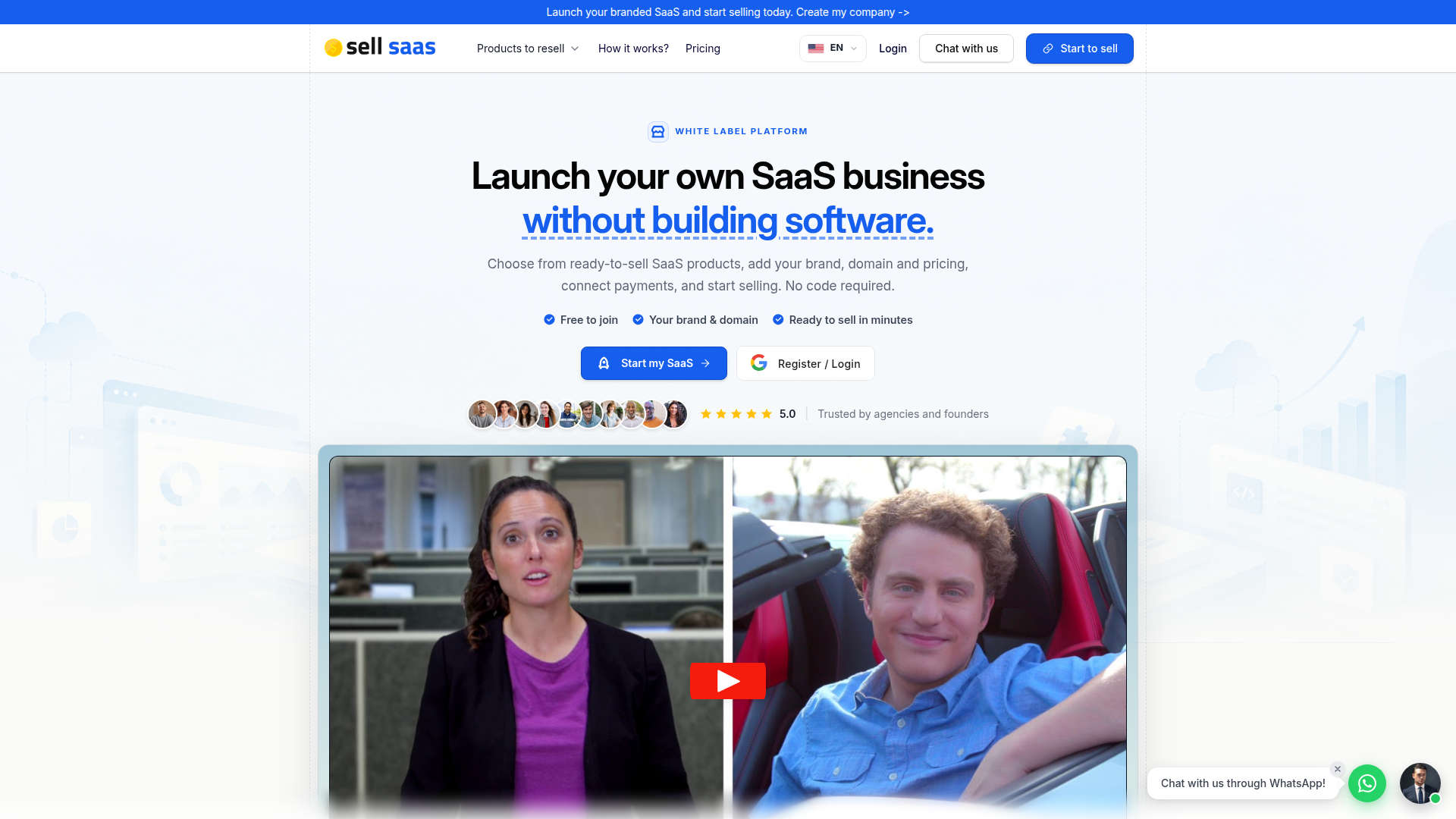
Sell SaaS offers a unique platform for aspiring entrepreneurs to launch their own Software as a Service business without the need for coding expertise. With a range of ready-to-sell SaaS products, users can easily brand, price, and sell their services while leveraging essential tools like SEO content generation and automated sales agents. This makes Sell SaaS an ideal choice for those looking to enter the tech industry with minimal investment and technical skills. Discover more about Sell SaaS today!
FAQ
- What makes HubSpot a preferred choice for marketing professionals?
HubSpot is favored for its comprehensive suite of tools that enhance marketing strategies and sales processes. It excels in inbound marketing, offering powerful CRM and automation capabilities that streamline customer interactions and improve lead management, making it ideal for data-driven marketing. - Why is Salesforce considered a top choice for enterprises?
Salesforce is renowned for its extensive suite of CRM tools, providing robust sales automation, customer service, and analytics capabilities. Its high level of customization and scalability makes it particularly beneficial for enterprises with complex customer interaction needs. - How does Zoho CRM cater to small to medium businesses?
Zoho CRM is an affordable solution with a starting price of $14 per user per month, offering essential CRM functionalities like lead management and sales automation. It is ideal for small to medium businesses seeking a cost-effective, user-friendly CRM tool without extensive customization needs. - What are the main advantages of using Pipedrive?
Pipedrive is best for businesses focusing on sales pipeline management. Its visual sales pipeline feature provides a clear overview of the sales process, making it ideal for sales-driven organizations needing to monitor and optimize their sales funnels effectively. - Why might Freshsales be a suitable option for simple sales teams?
Freshsales offers an intuitive interface and streamlined features, making it suitable for sales teams prioritizing simplicity. With a starting price of $15 per user per month, it provides a cost-effective solution for small to medium-sized businesses looking to optimize their sales processes. - What are the key features of ActiveCampaign?
ActiveCampaign is ideal for businesses focusing on email marketing and automation. It offers a comprehensive suite of tools for crafting personalized email campaigns and integrates basic CRM capabilities, making it a top choice for enhancing customer engagement. - Who should consider using Sell SaaS?
Sell SaaS is designed for businesses operating within the SaaS model, focusing on subscription management, analytics, and billing. It is an excellent choice for companies looking to streamline their product offerings and customer interactions within the SaaS industry. - What factors should be considered when choosing a SaaS tool alternative?
When selecting a SaaS tool alternative, consider your business needs, budget, and the specific functionalities required. Evaluate integration capabilities, user interface, and customer support to ensure the tool aligns with your operational goals and constraints. - How do pricing models vary among SaaS tools?
SaaS tools typically operate on a subscription-based model, offering multiple tiers to cater to different user needs. For example, Asana provides a free tier for basic features, while premium plans start at $10.99 per user per month, offering advanced functionalities. - What integration considerations are important when choosing a SaaS tool?
Integration capabilities are crucial when choosing a SaaS tool. Consider tools like Zapier or Integromat for seamless integration with existing software. Evaluate the breadth of integration options and ensure they align with your business's specific needs and existing systems.