


- 09th Jul '26
- Sell SaaS
- 6 minutes read
Simple Ways to Improve New Client Onboarding
New client onboarding sets the tone for the entire business relationship. It is the point where expectations become real, responsibilities are confirmed, and the client begins to see how the company actually works.
When onboarding is weak, confusion starts early. Clients may not know what to send, who to contact, when work begins, or how progress will be measured.
A better onboarding process does not need to be complicated. It needs to be clear, repeatable, and built around the information required to start work properly.
Define What “Ready to Start” Means
Before improving onboarding, businesses should define what a fully onboarded client looks like. This should be specific enough that the team can confirm when the client is ready for delivery.
For a SaaS company, this may include signed agreements, billing setup, user accounts, admin permissions, integration details, training access, and success goals.
For an agency or consultant, it may include brand assets, website access, approval contacts, project scope, reporting preferences, and kickoff notes.
A clear endpoint prevents onboarding from becoming a loose collection of emails and reminders.
It also helps internal teams know when they can move from setup to execution.
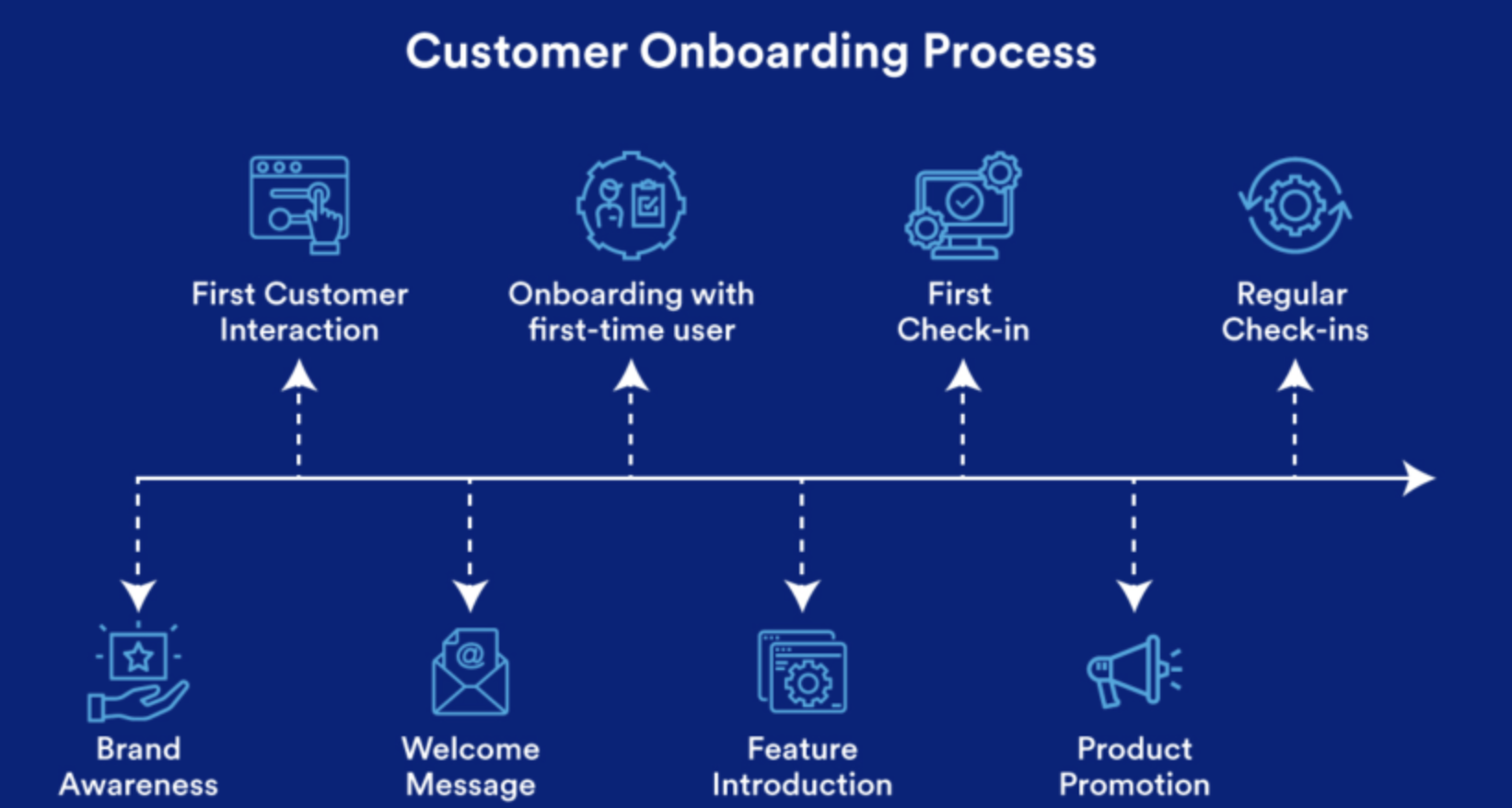
Use a Repeatable Process
Many companies treat every new client as a one-off case. Some customization is normal, but most onboarding steps are predictable.
A repeatable workflow helps prevent missed tasks.
It also creates a more professional experience because each client receives the same standard of preparation.
Businesses that want stronger structure can use onboarding software to manage forms, task lists, document requests, reminders, approvals, and handoffs in one process.
This reduces reliance on memory and scattered inbox threads.
It also makes it easier to see which clients are blocked, which tasks are late, and which information is still missing.
Send a Clear Welcome Email
The welcome email should do more than say thank you. It should explain what happens next.
Keep it short, direct, and useful.
Include the client’s main contact, the first required action, the onboarding timeline, and any links they need to complete setup.
Avoid sending a long message filled with every policy and process.
Clients are more likely to act when the request is focused.
What to Include
A strong welcome email may include:
-
Main point of contact
-
Next step
-
Required documents
-
Setup form
-
Kickoff call link
-
Estimated timeline
-
Communication channel
-
Support contact
-
First milestone
The goal is to remove uncertainty immediately after the client signs.
Collect Information Early
Onboarding delays often happen because key information is requested too late. Work cannot begin if the team lacks access, files, contacts, payment details, or approval rules.
Collect required information at the start.
Use structured forms instead of vague requests.
Do not ask the client to “send anything useful.”
Ask for exact items.
For example, request admin access, product documentation, audience details, current pain points, technical contacts, contract terms, or brand assets depending on the service.
Clear requests reduce back-and-forth communication and help the client respond faster.
Assign an Internal Owner
Every onboarding process should have one internal owner. This person does not need to complete every task, but they should track progress and make sure nothing is missed.
Without ownership, sales may assume operations is handling the client.
Operations may assume customer success has the details.
Customer success may assume the founder is still involved.
This creates gaps.
An onboarding owner should monitor deadlines, follow up on missing items, confirm handoffs, and keep the client informed.
For growing companies, this role becomes critical because founders cannot manage every client setup manually.
Run a Focused Kickoff Call
A kickoff call should not repeat everything already covered during sales. It should confirm goals, responsibilities, scope, timelines, and risks.
Use an agenda.
Start by confirming the client’s main objective.
Then review what has already been collected, what is missing, and what happens next.
Kickoff Call Topics
Useful topics include:
-
Business goals
-
Success metrics
-
Project scope
-
Key contacts
-
Approval process
-
Timeline
-
Risks or blockers
-
Communication rules
-
First deliverable
Keep the meeting practical.
A good kickoff call creates alignment and gives both sides a clear path forward.
Document Communication Rules
Client relationships become harder when communication expectations are unclear. Clients should know where to send questions, how often updates will happen, who approves work, and how urgent issues are handled.
Set these rules during onboarding.
This may include weekly calls, monthly reports, shared project boards, email updates, or support tickets.
Avoid spreading communication across too many channels.
If important decisions happen in text messages, email, chat, and calls with no central record, details will get lost.
A clear communication system protects the client and the team.
Build a Simple Handoff Process
The handoff from sales to delivery is one of the most common onboarding failure points. Sales may know the client’s goals, concerns, pricing context, and promised outcomes, but that knowledge may not reach the people doing the work.
Create a handoff template.
It should summarize the client’s goals, contract details, special requirements, risks, stakeholders, and expectations.
The delivery team should not have to rediscover important information during the kickoff call.
A strong handoff makes the company feel coordinated.
It also prevents the client from repeating the same details multiple times.
Add Early Checkpoints
Onboarding should include check-ins after the first few steps. Do not wait until the first major deliverable to find out the client is confused.
A short checkpoint after setup can confirm whether the client understands the process.
Another checkpoint after the first milestone can show whether expectations were accurate.
Ask specific questions.
Was anything unclear? Were the document requests easy to complete? Did the kickoff answer your questions? Is there anything missing before we move forward?
Feedback helps improve the process for future clients.
Final Thoughts
New client onboarding improves when businesses define the starting point, use a repeatable workflow, collect information early, assign ownership, and communicate clearly.
A strong onboarding process reduces delays and creates confidence.
Clients know what to do.
Teams know what to deliver.
The relationship starts with structure instead of confusion, which makes long-term success much easier to build.